Checkout Pages

A storefront, in a link.

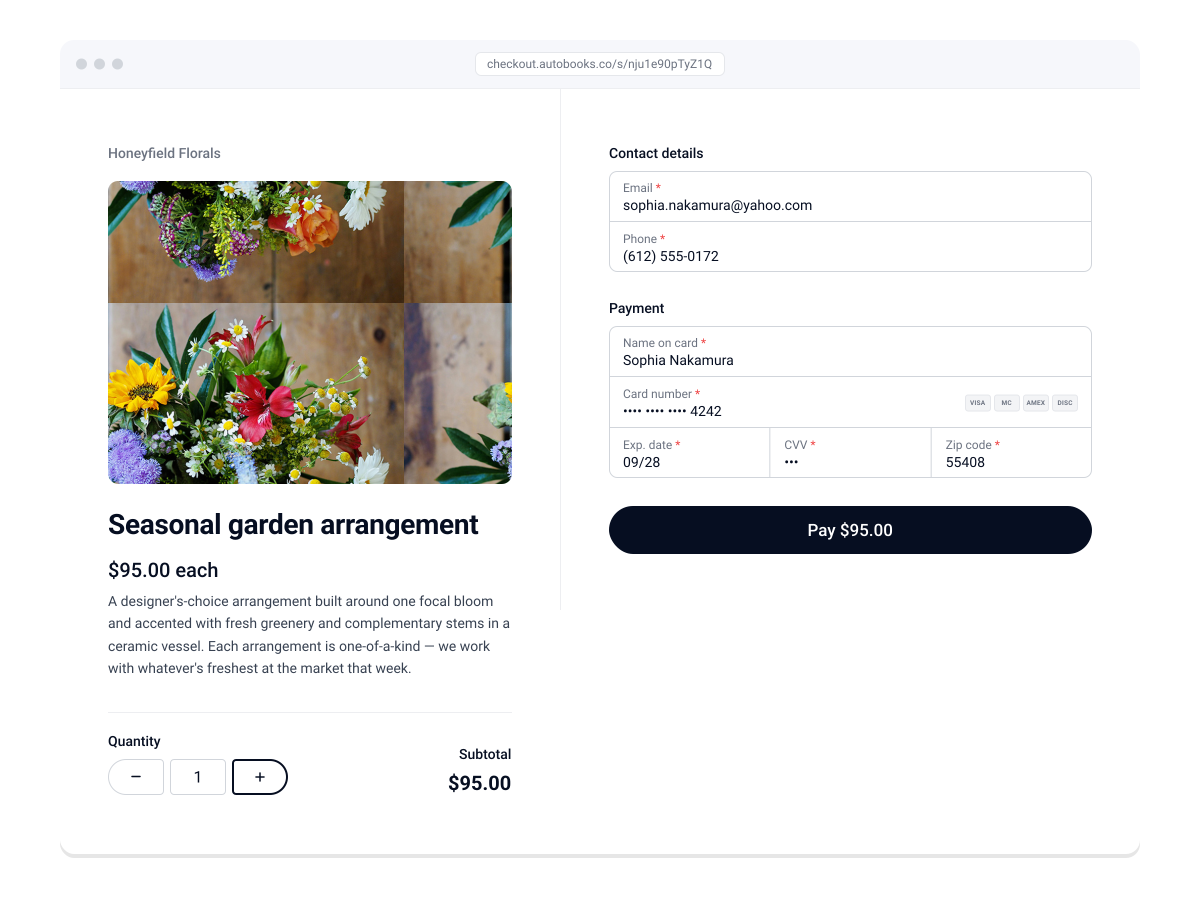
Build a checkout page inside your bank’s digital banking in minutes. Add what you’re selling, set your prices, and share the page as a link or a QR code. Customers browse, pay by card or digital wallet, and the money lands in your account.

Login

Checkout Page - Meadowlark Florals

Checkout Pages in three steps.

1
Build your page.

Add products from your inventory. Set prices, write short descriptions, and publish. No developer, no shopping cart software, no website required. 

2
Share the link.

Copy your page link or grab a QR code. Put it on a social post, a text to a customer, a bio link, a printed sign at the counter. One page, wherever your customers are. 

3
Payments land in your account.

Customers browse, pick what they want, and pay by credit card, debit card, ACH, or Apple Pay. The money settles directly to your business checking account, where every sale shows up alongside the rest of your payments.

Everything you need to sell online.

icon_checkoutpages-sm-outline
No website required

Checkout pages stand on their own. No store to build, no plugin to install, no recurring subscription to maintain. Build a page today, sell today. 

icon_digitalpayment-sm-outline
Multiple payment methods

Customers pay the way that works for them: credit card, debit card, ACH, or Apple Pay. Every payment settles to the same business checking account.

icon_capabilities-sm-outline
Inventory, handled

Set quantities for each item. When something sells out, it comes off the page automatically. No overselling, no manual updates.

icon_checkmarks-sm-outline
Built for more than products

Sell merchandise, assess a membership fee, collect dues, or accept a donation. One tool, many kinds of transactions.

icon_edit-sm-outline
Reusable, not disposable

Pause a page when a sale ends. Reactivate it when the next one begins. Edit prices, swap in new products, and keep going. The page is yours to keep. 

icon_bankdeposit-sm-outline
Connected to your books

Every sale lands alongside your invoices, payment links, and Tap to Pay receipts. When Autobooks accounting is enabled, each transaction is categorized and recorded automatically.

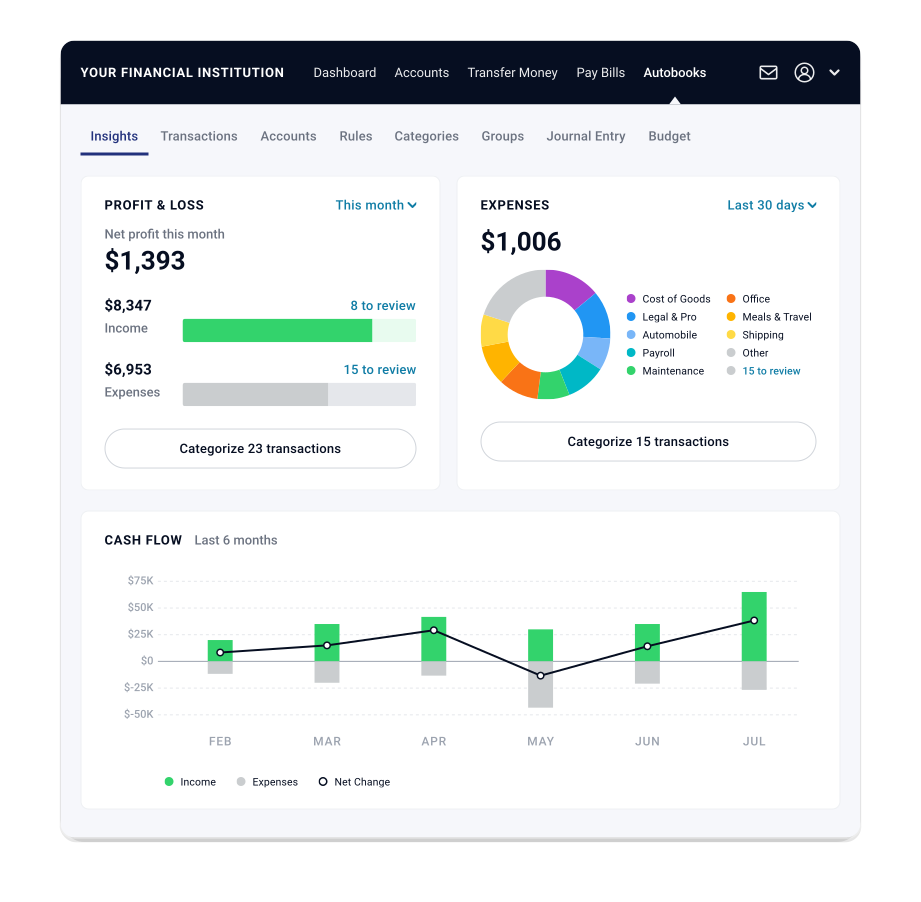
Insights Dashboard

Your sales are never just sales.


Every checkout page sale lands in your connected receivables view, alongside the money you spent on supplies last week, the invoice you sent yesterday, and the bill you paid the week before.

The connected system sees every payment, no matter where it came from. When Autobooks accounting is enabled, every sale is categorized and recorded automatically.

Checkout Pages is one part of the connected system. The more you use, the clearer your picture.

Banks choose which Autobooks features they offer. If something on this page isn’t available where you bank, ask your banker about adding it.

Built for businesses that sell.

happy-customer-2
Makers & craftspeople

Sell handmade goods without building a full e-commerce site. Add products, share the link, take orders from wherever your customers find you. 

happy-customer-construction
Service businesses

Sell memberships, service packages, or gift cards through a checkout page. No invoice, no portal, no wait. 


happy-customer
Event organizers

Sell tickets or collect registrations from a single page. When the event fills up, the page stops taking orders.

happy-customer-professional
Nonprofits

Collect donations, sell merchandise, or accept event payments through one page. When Autobooks accounting is enabled, every transaction is categorized and recorded automatically.

Set up your first page today.

Autobooks checkout pages are inside your bank’s digital banking. No new app. No new login.

Breadcrumb Nav - Checkout Pages